
User Defined API - Overview (Part 1)
Overview
While User Defined APIs have been available since 2025 R2, which had been released on 2025-05-05, I have ignored them. When reading about them I thought about them as an alternative to the Public API (https://hostname/api). I have to admit, this conclusion is plainly wrong and was a mistake on my side for two reasons:
- They can be executed by the user.
There’s no need to make the client credentials publicly available, which would be used for the public API. - AI eats API Definitions for breakfast.
There is already great documentation available:
In this post I will provide a quick overview and will on topics which are common to every running mode.
Info: The documentation and Designer Stuido use the name API Definitions in the community the term User Defined API was used. I will stick with the latter one and may also use the abbreviation UDA, which is used in the database.
Series
Here are the other parts of this series:
- Overview
- User Defined API - Get data from data sources
- User Defined API - Actions on a workflow instance
- User Defined API - Execute automation
Differences between Public API and User Defined APIs
There are three big differences between the Public API and User Defined API. These are:
- Different authentication options
- UDAs have a specialized use case
- You can create custom documentation for UDAs
Authentication
This is the one thing I’ve overlooked when I read the knowledge base post:
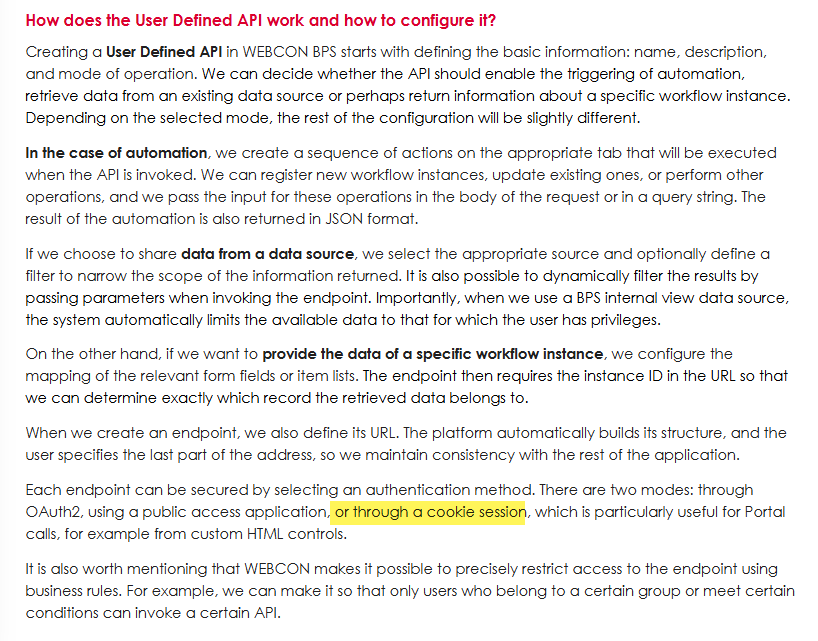
Ok, if I would have taken a close look at the Designer Studio, I would have seen it again, but I didn’t.
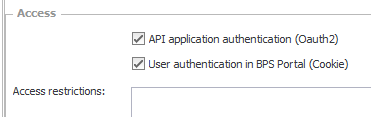
I want to make clear why this makes a difference. You can use the UDA endpoint via JavaScript without any additional authentication. In the past I didn’t use the Public API in forms as it uses OAuth authentication. This would require disclosing the client secret. This would be the same for the API application authentication (OAuth2) access option. But the other option will be executed in the context of the signed-in user. This will allow us to use a UDA endpoint from anywhere in the Portal where we can inject JavaScript:
- Forms
- Dashboards
- Everywhere, if you want to go down this road.
Cookie in this context means, that your user is used, even if you currently using the Working on behalf mode.

Specialized usage
The Public API is a matured all-purpose API for interacting with WEBCON from a third-party client. It will offer features which are not available in a UDA. The all-purpose approach is also the downside of it. You will need to understand how WEBCON works to use it. This is not the case with the UDA.
The UDA provides an abstraction layer and will make it easier for others to communicate with WEBCON. The below picture shows two bodies which update a workflow instance, and I doubt, that anyone would choose the Public API (1) option, if it’s not necessary.

As you have seen, the UDA will provide you with an understandable body. While this is the same for all Running modes, the uses cases of them are different.

Get data from the data source
Think of this as a data table which can be accessed via REST. This data table can then be filtered using input parameters.
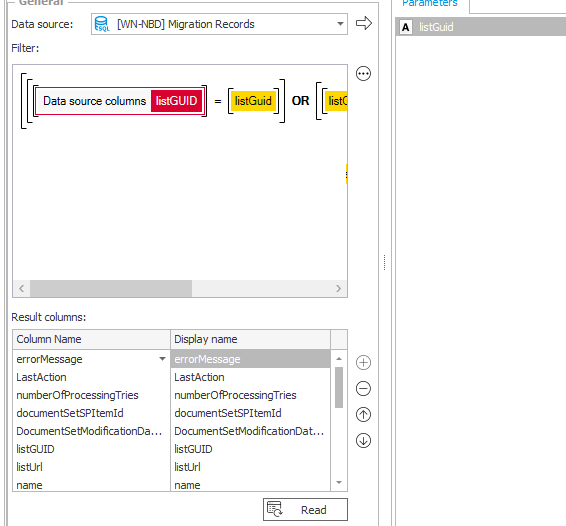
Even so it’s simple as that, I will dedicate a separate blog post to it, because I have run into some issues and want to prevent you from running into them yourself. One important fact is that it returns a maximum of 1000 elements. While my first workaround worked for 95% of the cases, I encountered another edge case, but this and other information will be covered in the dedicated post.
Actions on a workflow instance
This mode allows you to:
- Start a workflow instance
- Save it
- Execute a path
- Get a single instance
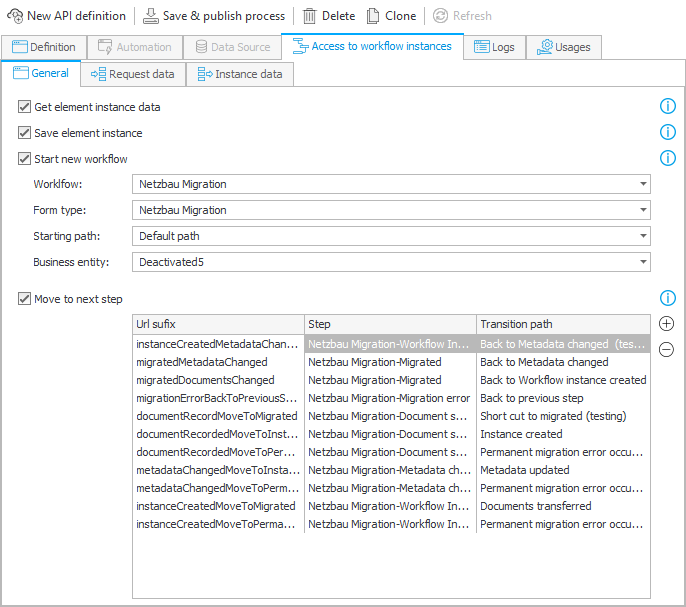
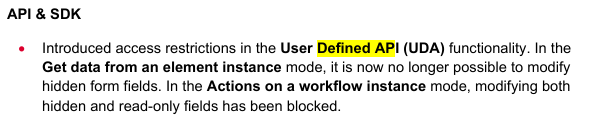
Here the most important information I want to provide is that there’s no admin mode or force checkout option. You can only modify the editable fields. I will cover other topics in the dedicated post.
Execute automation
This is like a Cyclical action which can be triggered via a REST request. The big difference here is that you can provide input parameters and get a response. Otherwise, it’s limited to the same actions, as this one is also executed without the context of a workflow instance. This will offer a lot of options and improve the user experience and therefore it will get its own post. :)
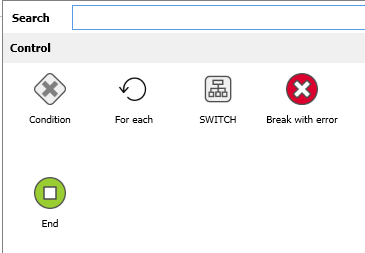
Break with error and End operators.
Custom documentation
You can download an OpenAPI definition file for all UDAs endpoints in the process.
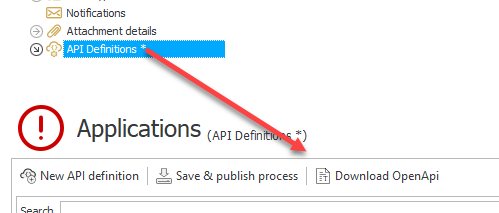
This is a technical documentation of all endpoints saved in a JSON file. There may be WEBCON power users who open it and close it after a few seconds. After all it gets technical really fast and isn’t easy to read.
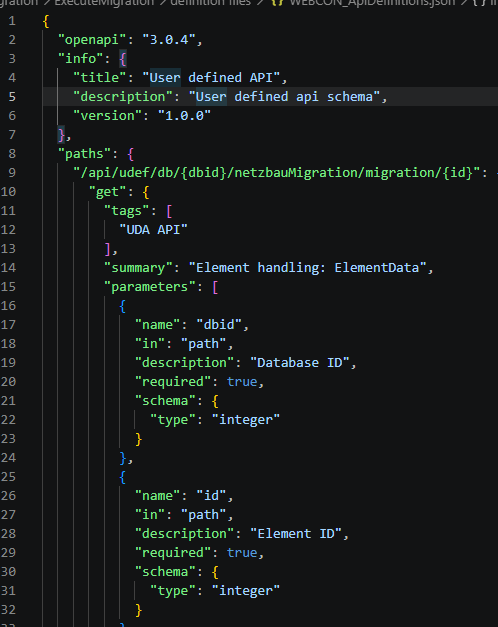
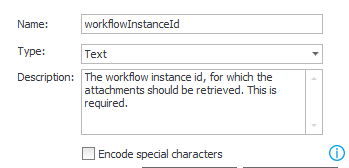
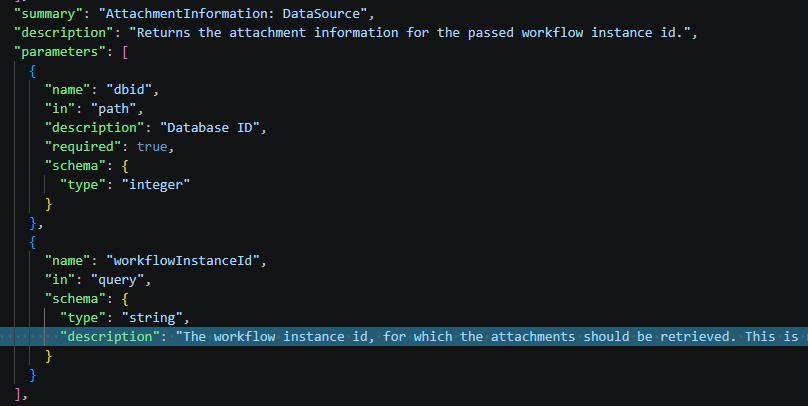
The mistake here is that you don’t need to understand it, but AI will. OpenAPI (swagger) is an old documentation option which is known by all AI models. If you follow these basic guidelines, then the AI can derive a context from the provided information and will be able to help you a lot.
- Use speaking names
workflowInstanceIdinstead ofid - Provide documentation
Is it clear what something does from it’s name/ will you know what something does in three months? If not, document it.
Common inconveniences and pitfalls
With all the good options the UDA offer, there are of course inconveniences and pitfalls. It’s no wonder:
- This was released one year ago
- I don’t remember any user voice or question in the community.
- There are three distinct mentions in the change logs.
Based on this I would guess that the adoption of this feature probably hasn’t been high.
Moving API definitions
API definitions with the running mode Get data from the data source or Starting automation don’t run in context of a process / workflow instance. At the same time, they adhere to the privileges of the application which is necessary when calling the API using the current user. So, there’s no option to define these on a global level, which would be better, but it would at least be helpful if we could move an endpoint to another process.
But there’s a workaround, but it requires fiddling with the database. Thankfully WEBCON is really forgiving if you change something in the database. :)
If you create the SQL statement for generating the UdaDefinitions table, you will notice which other tables are referenced as foreign keys. In this version the notably tables are Automations and WFBusinessRuleDefinitions.
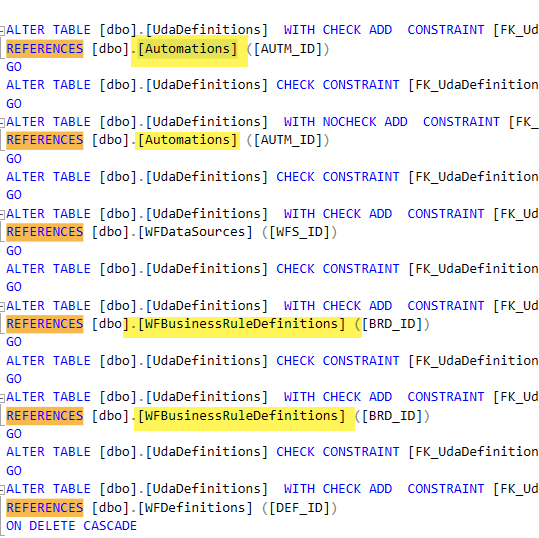
When you want to move an UDA from one process you will need to update the DEFID value in the relevant records.
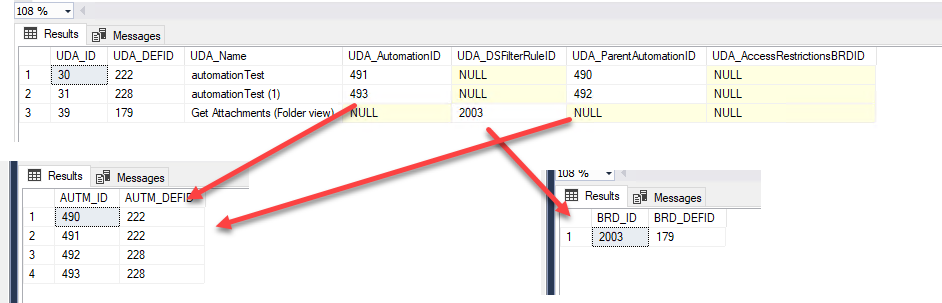
Ensure that the updated automation / business rules themselves aren’t a parent element. Otherwise, you should update the dependent rows too.
Time and time zones are a never-ending issue in IT
Remark: This applies to version 20261.1.6.198 and before. It may have been fixed in later versions.
If you are working with time values then make sure that you apply workaround for your cases if necessary. It will depend on the settings of the client, WEBCON and database server. In the example below I’m sending data from a client with UTC+2 to WEBCON running in UTC+2 and database is also set to UTC+2 (W.Europe Standard Time)

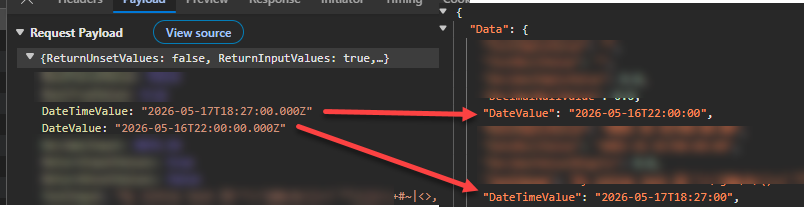
I’m sending the local time 20:27/8:27 pm (18:27:00Z) to the server which returns the same value without further processing. As you can see the local time is now 18:27/6:27 pm (16:27:00Z)
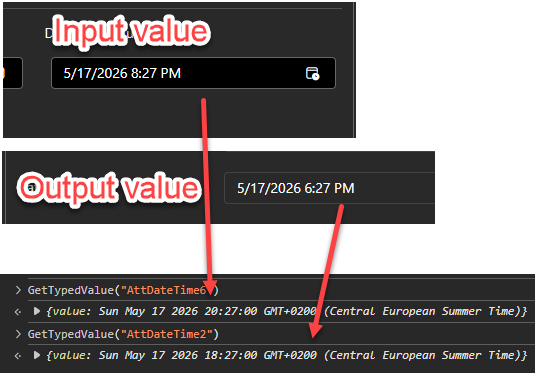
If you take a look at the payload body and response, it’s obvious, the time zone information has been removed.
Logging UDA vs public API
UDA logs are stored in the table AdminUdaLogs of the content database. The logs about the public APIs are stored in the table AdminAPILogs of the configuration database.
Errors
That’s something which definitely needs to be improved. While I sometimes got a useful error message, I quite often encountered a 409 Conflict error.
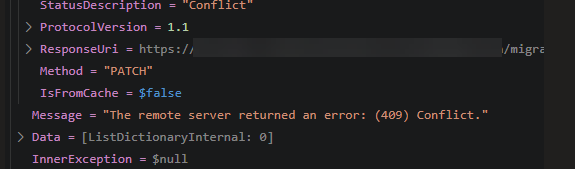
While you have a dedicated log in the Designer Studio per API and see the error GUID, you are as likely to get any information as not.
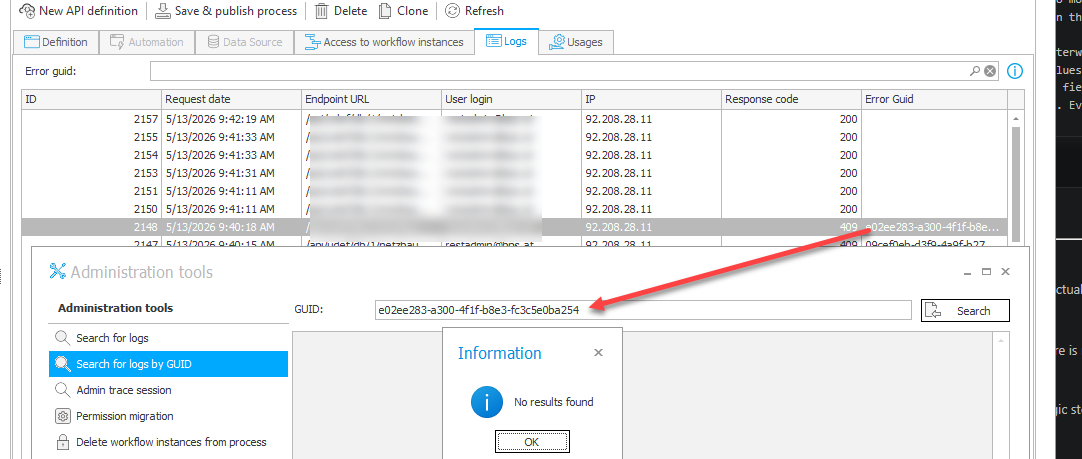
In this case you need to head over to the table AdminWFEventLogsin the configuration database and search for the error there.
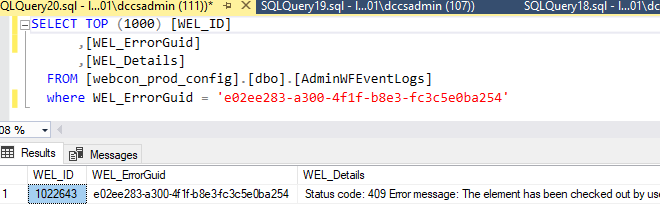
Sometimes the error messages themselves will provide useful information, and the administration tools will do so, too. If you don’t get any information, it’s likely that you will find those in the configuration database. I’ve also encountered one case where there haven’t been any information, but this will be a topic in the Get data from the data source post.
Comments