
User Defined API - Execute automation (Part 4)
Overview
This is the last part of my blog post about User Defined APIs. This one is dedicated to running mode Execute automations. While the other running modes have a fixed use case, this one is way more flexible.
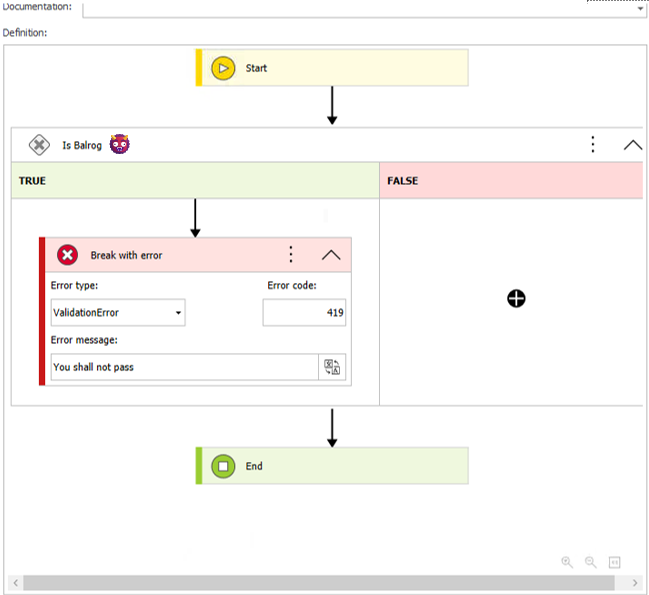
Execute Automation automation should start with validation.
Series
If you have no idea what User Defined APIs are and why you should change this, you should start with the first part of this series:
- Overview
- User Defined API - Get data from data sources
- User Defined API - Actions on a workflow instance
- User Defined API - Execute automation
Execute automation
Similar to a Cyclical action
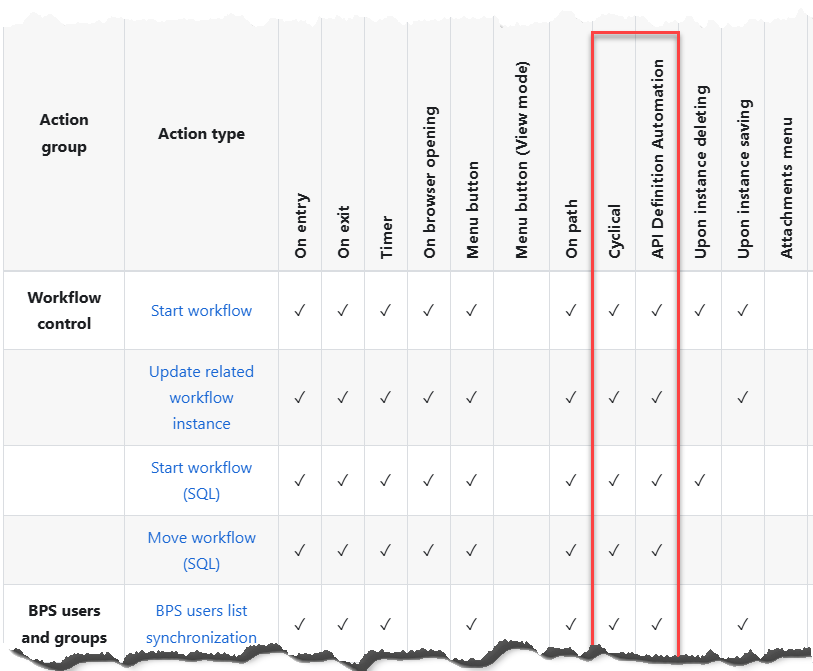
This running mode is similar to a Cyclical action. You define an automation and have the same actions. The automation is also executed without the context of a workflow instance. The biggest difference is that it can be triggered via a REST request instead by a the workflow service. Of course, you can provide input parameters and get a response. The documentation offers an overview of the available actions.
Operators Break with error and End
While I have seen the operators Break with error and End in the past, I never had an idea when to use them.
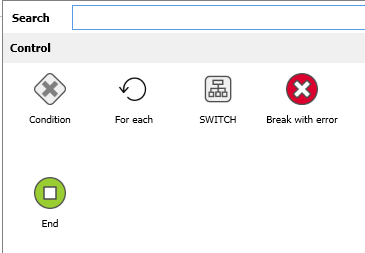
Break with error and End operators.
This changes when you start to get a feeling for the Execute automation running mode. You can compare it to a function in a programming language:
- The endpoint name is similar to the function name
CreateAuthenticatedClientAsync. - You have input parameters
customAuthenticationParams. - You need to validate them and throw errors, if the validation fails
ArgumentNullException. - Depending on the context you don’t need to execute the whole function
return client;.
  public override async Task<HttpClient> CreateAuthenticatedClientAsync(CustomRestAuthenticationParams customAuthenticationParams)
  {
      if (string.IsNullOrEmpty(customAuthenticationParams.BaseUrl))
        throw new ArgumentNullException(customAuthenticationParams.BaseUrl);

      try
      {
          if (IsTokenValid())
          {
              _logger.Log($"Reusing existing access token. It is valid for at least one minute");
              HttpClient client = Helper.GetClient(_logger,Context,TokenEndpoint);
              client.DefaultRequestHeaders.Authorization = new AuthenticationHeaderValue("Bearer", accessToken);
              return client;
          }
          ....
      }
  }
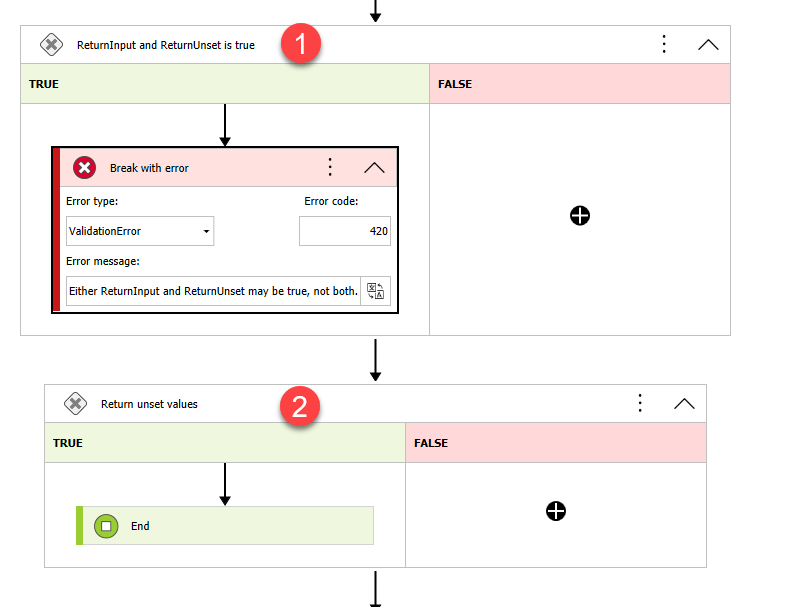
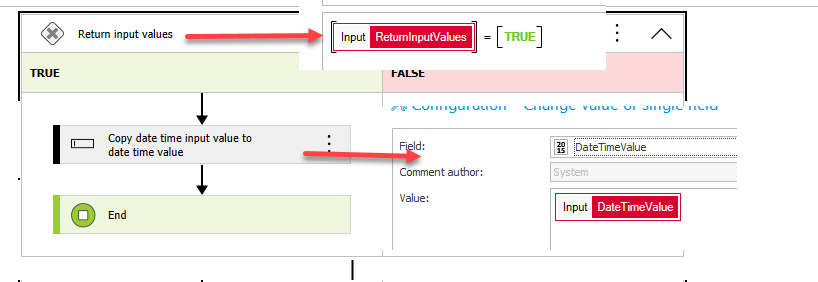
The Break with error and End operators can be used in the same way in an automation.
- In case of an invalid input parameter value an error is thrown.
- The input parameter “return unset values” is true which enforces the early end of the automation execution.
Uses cases
Due to the flexibility this is hard to define, and I can’t offer a guideline for this. If I provide ideas here, you may subconsciously disregard other options. Maybe the best guide would be your “gut feeling”. If an implementation idea feels off, then this would be one option to think about. For example, your need to get a new document from WEBCON.
- You would need to start a workflow instance,
- Provide information
- Move it to the next step, which generates the document
- Then you can get the attachments
While it works, this may also be doable via an Execute automation endpoint in a single call.
Inconveniences, pitfalls and workarounds
Common to all running modes
There are pitfalls which are common to all running modes which I’ve described in part 1:
- Moving API definitions
- Time and time zones are a never-ending issue in IT
- Logging UDA vs public API
- Errors
Only POST is supported
When you start playing around with UDA you will like first test the Get data from data sources and Actions on a workflow instance running modes. These allow you to use the browser to view the data.
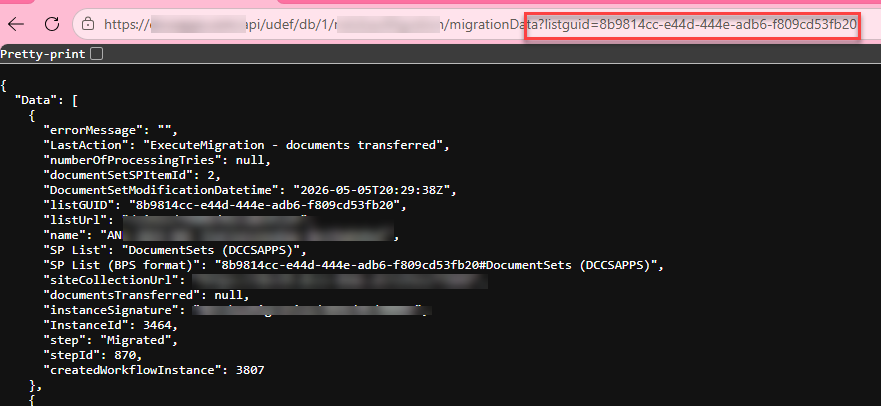
Get data from data sources and Actions on a workflow instance endpoint
After reading the documentation about the Execute automation I did the same, after all I could pass input parameters as query parameters here too.

Execute automation endpoint.
Unfortunately, I just got a 400 Bad request error. The reason is that you have to use the POST method, even if you use query parameters.
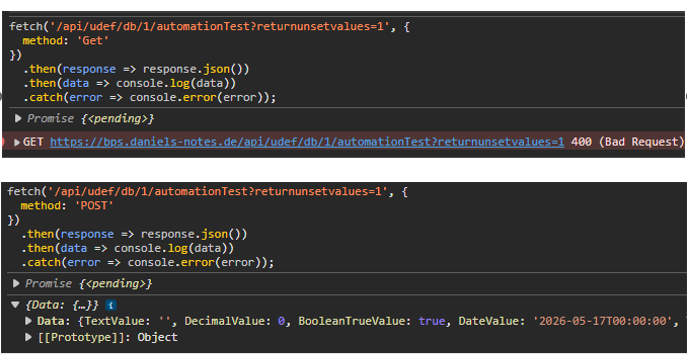
Execute automation only supports POST method.
Time zones are lost
Stumbling into the time zone issues during the migration with the UDA endpoints I wanted to test how the UDA handled those.
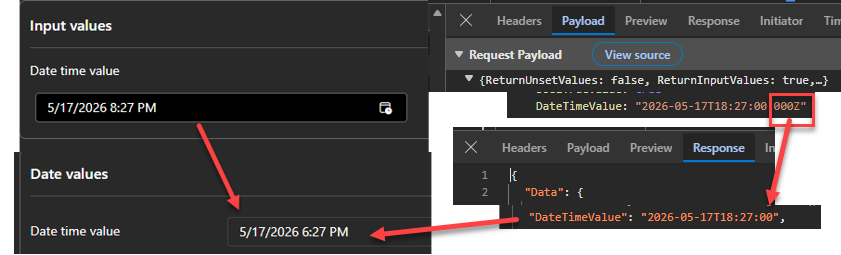
For this I created a very simple test case. I would pass a date time value to WEBCON, and it should return the value as is. Unfortunately, my concerns have been confirmed.
The issue is not only that the milliseconds are removed, but the time zone information is lost. In my case this resulted in a two-hour shift. Now let’s imagine that I’m not UTC+2 but UTC-2 and that this information has been posted by an external travel agency with the departure time of flight. With UTC+ I will just have to wait 2 more hours at the airport, but with UTC- the plane will have already departed.
No null values
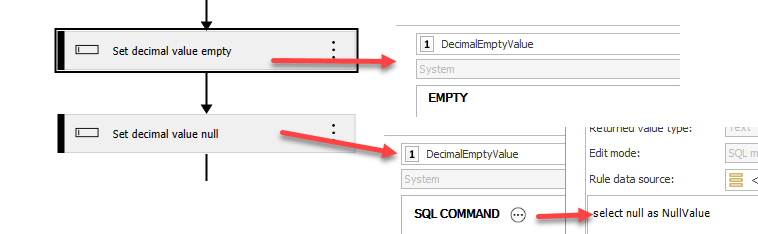
I tested various options to set an output parameter to null, but neither one was working for any data type.
- Return values as they are
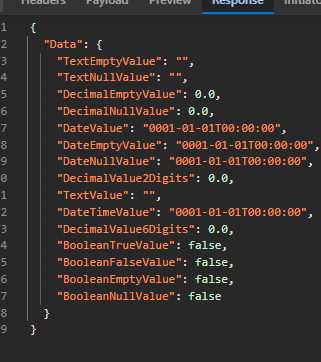
The initial output parameters are returned.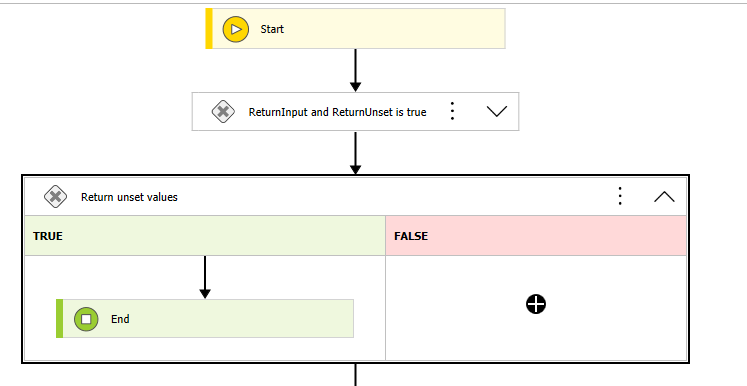 The response when the initial values are returned:
- Set values to empty / null
 The response also contains parameters which other test values. I wanted to verify whether there are any other issues.
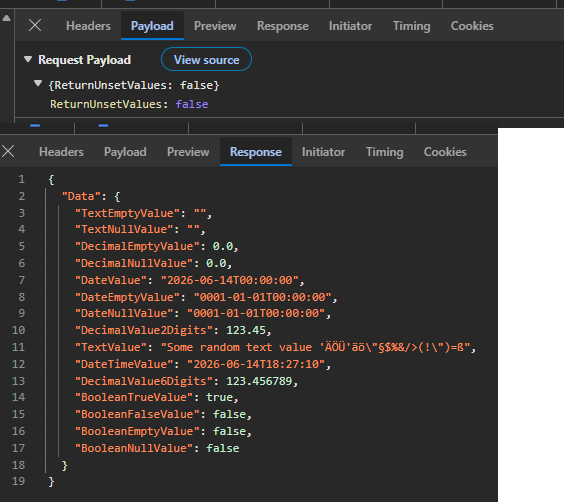
Besides the time zone issue there’s ‘only’ the issue with returning null/unset values. Ok, in case of date time, we could workaround it, as we get 0001-01-01T00:00:00 as a value which can be interpreted as null, but there’s no option for text, decimal or boolean value.
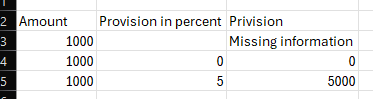
Let me explain this with an example why this is an issue. If you get a provision for selling it and it hasn’t been defined yet, it makes a big difference whether there is no information or 0. In the first case the underlying program can return an error in the latter one, the 0 could be correct and you won’t get a provision.
Comments