
User Defined API - Actions on a workflow instance (Part 3)
Overview
This is the third part of my blog post about User Defined APIs. This one is dedicated to running mode Actions on a workflow instance. I think this will be my primary option for creating workflow instances, if I don’t need a generic solution.
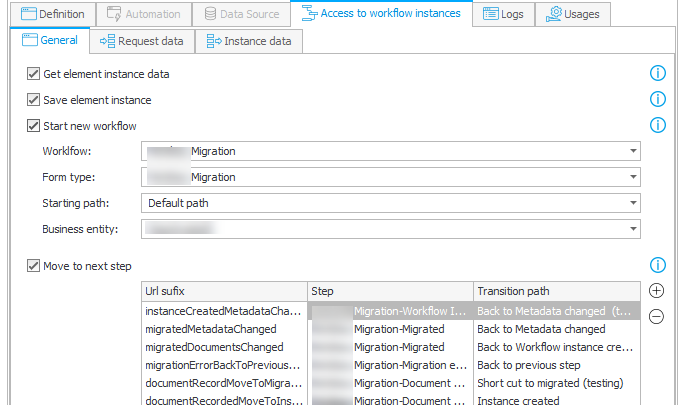
Actions on a workflow instance running mode
Info: In the first version I stated, that it’s not possible to work with attachments. This is wrong.
Series
If you have no idea what User Defined APIs are and why you should change this, you should start with the first part of this series:
- Overview
- User Defined API - Get data from data sources
- User Defined API - Actions on a workflow instance
- User Defined API - Execute automation
Actions on a workflow instance
When to use
I mentioned that I would prefer a User defined API whenever I don’t need to use a generic solution. Let me provide an example.
If I want to migrate the elements of a SharePoint list to workflow instance, I would use the user defined API:
- Create the endpoint with meaningful names.
The times where you had/wanted to use 8 characters for file names / variables are long gone. While you can infer what a path with the label ‘Reject’ means from the current state of a workflow the label ‘Reject purchase request’ is way easier to grasp, especially if you have multiple approvals in the same workflow and each has the label ‘Reject’. - Use the documentation fields
- Create the documentation
- Feed AI the documentation and you are mostly done.
In contrast I used the public API when I had to migrate 20 similar SharePoint list from two site collections to four different workflows. In this case it would be a pain to create all these endpoints, especially if the structures of the SharePoint lists differ from each other. Here a mapping file and the public API is way more useful. With similar I mean, that one SharePoint list uses the currency data type and the next one a free text field for the same information.
Benefits
Read / write of item lists
When reading / writing data you can not only retrieve and update fields but also item lists. This is convenient. :)
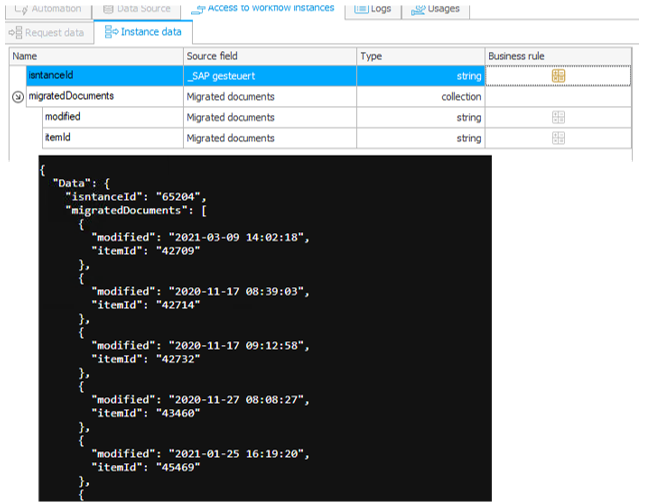
Fun fact: Seconds are returned, too. In case you don’t know why I’m mentioning this: BPS internal views ignore seconds
Support for attachments
You can also access / upload attachment. All you need to do is define a collection and you will be able to select the attachments as a source.

Using business rules
The best is, you are not even limited to actual fields, but you can use business rules which opens a whole bunch of possibilities.
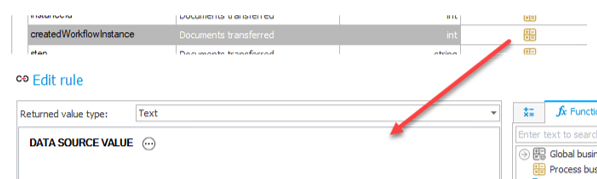
You can use these for reading data and updating data. The latter one is like the usage of business rules to process REST action responses.
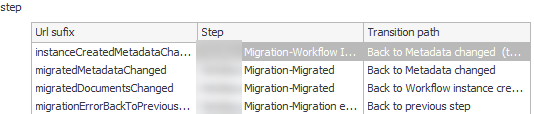
Predefined paths
In contrast to the public API, you can limit the available paths. This adds an additional security level.
Inconveniences, pitfalls and workarounds
Common to all running modes
There are pitfalls which are common to all running modes which I’ve described in part 1:
- Moving API definitions
- Time and time zones are a never-ending issue in IT
- Logging UDA vs public API
- Errors
403 Forbidden
This is the one running mode which causes the most headaches in regard to setting up the privileges for OAuth authentication. This is my latest checklist:
- App.UserDefAPI.ReadWrite.All permission scope
- Access to the application
- Process, workflow, form type level privileges
- Business entity privileges
- Business entity is enabled
The most annoying thing here is not the 403 forbidden error, but I didn’t find a more helpful error message on the server itself. It’s state of the art, that the underlying reason is not send to the client, but some more information would be helpful on the server.
Fixed start a workflow instance parameter
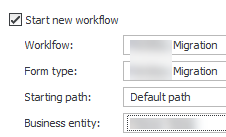
While I can understand that the workflow and form type are fixed. I really don’t get it that the business entity is also hard coded. Ok, I can it serves as an additional security layer and the client application doesn’t need to be aware of the id/GUID, but this also means, that you must create a separate endpoint for each business entity. I hope you don’t need to configure this for a two-digit number of entities.
Retrieve data of multiple instances
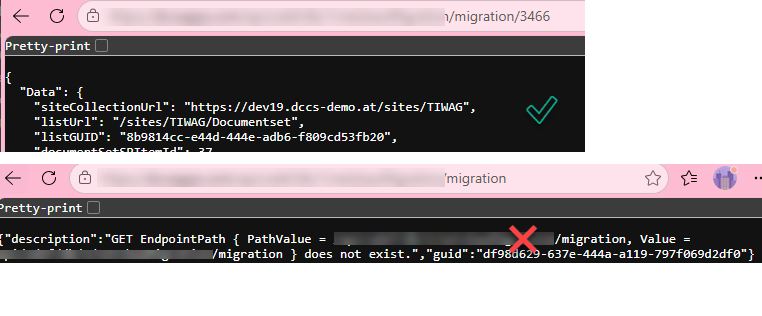
It’s great that this running mode also offers a GET option, but I don’t understand the current implementation. You can return a single instance, but if you want to return multiple instances, you will need to define another endpoint using the Get data from data source running mode. It would help a lot if the User Defined API supports OData filters.
Return data of business rules
This is really just an inconvenience, but if you want to return data which are not mapped to fields, you still need to select a field. At least, the system doesn’t enforce that each field can only be selected ones.

No support for data rows / data tables
It would be great if you could select data rows like fields and data table like item list, but this isn’t supported. At least you can work around this for data rows, by using a business rule.
No ‘force checkout’ and ‘admin’ mode
This can be an annoying limitation. Especially if you are testing. I don’t know how often I got a 409 Conflict error, because I had checked out the workflow instance in the browser. It’s the same as with those annoying timers.
Comments